
 GROWTH GUIDE
Reputation Management for Small Business: A Weekly Playbook
Protect and grow your small-business reputation with one routine: check your reviews and mentions weekly, ask every satisfied customer for a review before you forget, and answer every response, good or bad, within 24 hours. That’s it. That’s the job. Everything else in this guide just tells you how to do those three things well.
Do this today: set a Google Alert for your business name, claim or verify your Google Business Profile and Yelp listing, and send a review request to your last 10 customers. Skip these three things and you’re guessing instead of managing:
- Don’t buy or trade for fake reviews. Platforms detect patterns and suspend accounts.
- Don’t ignore a negative review hoping it disappears. It won’t, and silence reads as guilt.
- Don’t respond to criticism while angry. Draft it, walk away, then send it an hour later.
Key Takeaways
Small-business reputation management works when one person owns a weekly routine of monitoring, asking for reviews, and replying within 24 hours.
| Point | Details |
|---|---|
| Monitor weekly, not sporadically | Set Google Alerts and check your top review sites on a fixed weekly schedule. |
| Ask right after the win | Request reviews immediately after a completed job or purchase, via email, SMS, or QR code. |
| Reply within 24 hours | Fast responses to both praise and complaints match customer expectations and build trust. |
| Track five metrics monthly | Watch star rating, review velocity, sentiment, response rate, and response time. |
| Scale with a platform when manual work stalls | Service Grower bundles review aggregation, request automation, and reporting for owners outgrowing the spreadsheet approach. |
Table of Contents
- What Does Reputation Management Mean for a Small Business?
- Monitoring Checklist: What to Check, How Often, and With What Tools
- How Do You Get More Customers to Leave Reviews?
- How Should You Respond to Positive and Negative Reviews?
- What Do You Do When a Reputation Crisis Hits?
- Which Metrics Actually Show Your Reputation Is Improving?
- Should You DIY Reputation Management or Use a Platform?
- What We’ve Learned Working With Local Businesses
- How Service Grower Simplifies Reputation Management
- Sources
What Does Reputation Management Mean for a Small Business?
Reputation management for a small business covers five overlapping areas: review sites (Google, Yelp, industry-specific platforms), social media mentions, business listings and directories, press or blog coverage, and your standing in organic search results. Miss any one of these and a customer researching you sees a gap, and gaps read as red flags.
Each piece pulls its own weight. Review sites shape the first impression, since a large majority of consumers read reviews before making a purchase decision. Social mentions show whether you’re actively engaged or dormant. Listings determine whether your hours and phone number are even correct across the web. Search results decide whether you show up at all when someone searches “[your service] near me.”
Assign one person to own this, even if it’s you working from your phone during downtime. Set a cadence and stick to it:
- Daily: scan for new reviews and social mentions.
- Weekly: audit your top three listing sites for accuracy.
- Monthly: review the full picture and adjust your approach.
Monitoring Checklist: What to Check, How Often, and With What Tools
A monitoring routine only works if it’s boring and repeatable. Here’s the cadence that keeps most small businesses ahead of problems instead of reacting to them.
Daily (5 minutes): Check Google Business Profile notifications and any new reviews on your top two platforms.
Weekly (20 to 30 minutes): Search your business name in Google, check Yelp and industry-specific review sites, scan social mentions and tags, and confirm your listings match across directories.
Monthly (30 minutes): Pull your review count and average rating, note any recurring complaint themes, and check your local search ranking for your top three search terms.
Tools break down into a few categories, and you don’t need all of them on day one:
- Alerts: Free tools like Google Alerts flag new mentions of your business name.
- Review aggregators: Pull reviews from multiple sites into one dashboard so you’re not logging into five accounts.
- Social listening: Tracks mentions and tags across Facebook, Instagram, and X.
- Local listings checkers: Flag inconsistent business hours, addresses, or phone numbers across directories.
- Sentiment tracking: Basic tools flag whether recent feedback trends positive or negative.
Pro Tip: Automate the alerts and the aggregation. Never automate the reading. A bot can tell you a review came in; only you can tell if it needs a phone call instead of a template reply.
Xero’s guide to small-business reputation recommends treating this as a recurring workflow, and estimates that a practical weekly commitment runs about 2 to 3 hours for most small operations. That’s less time than most owners spend on invoicing.
How Do You Get More Customers to Leave Reviews?
Review volume doesn’t grow by accident. It grows because you ask, consistently, at the right moment. Here’s the sequence that works:
- Ask at the peak of satisfaction. Right after a completed service, a delivered order, or a resolved issue, not three weeks later when the memory has faded.
- Pick the channel your customer already uses. Email for online purchases, SMS for service calls, a QR code on the receipt or invoice for in-person visits.
- Keep the ask to one sentence. “We’d love a quick review if you have 60 seconds. Here’s the link.” Nobody wants a paragraph before the link.
- Follow up once, not five times. A single reminder three to five days later catches people who meant to but forgot.
A few operational notes worth building into your routine:
- Print a QR code on receipts, invoices, and appointment confirmations linking straight to your Google review page.
- Never offer a discount or freebie in exchange for a review. Most platforms ban incentivized reviews, and getting flagged costs you more than the review was worth.
- Never gate requests by asking happy customers to review while quietly skipping unhappy ones. That’s the fastest way to get caught and penalized.
- Build the ask into your existing workflow, like a line in your receipt template or a step in your post-job checklist, so it happens without you remembering.
Recency counts as much as volume. Review recency carries real weight with prospective customers, and steady review velocity, meaning new reviews arriving every month, signals an active, trustworthy business rather than one coasting on reviews from three years ago.
How Should You Respond to Positive and Negative Reviews?
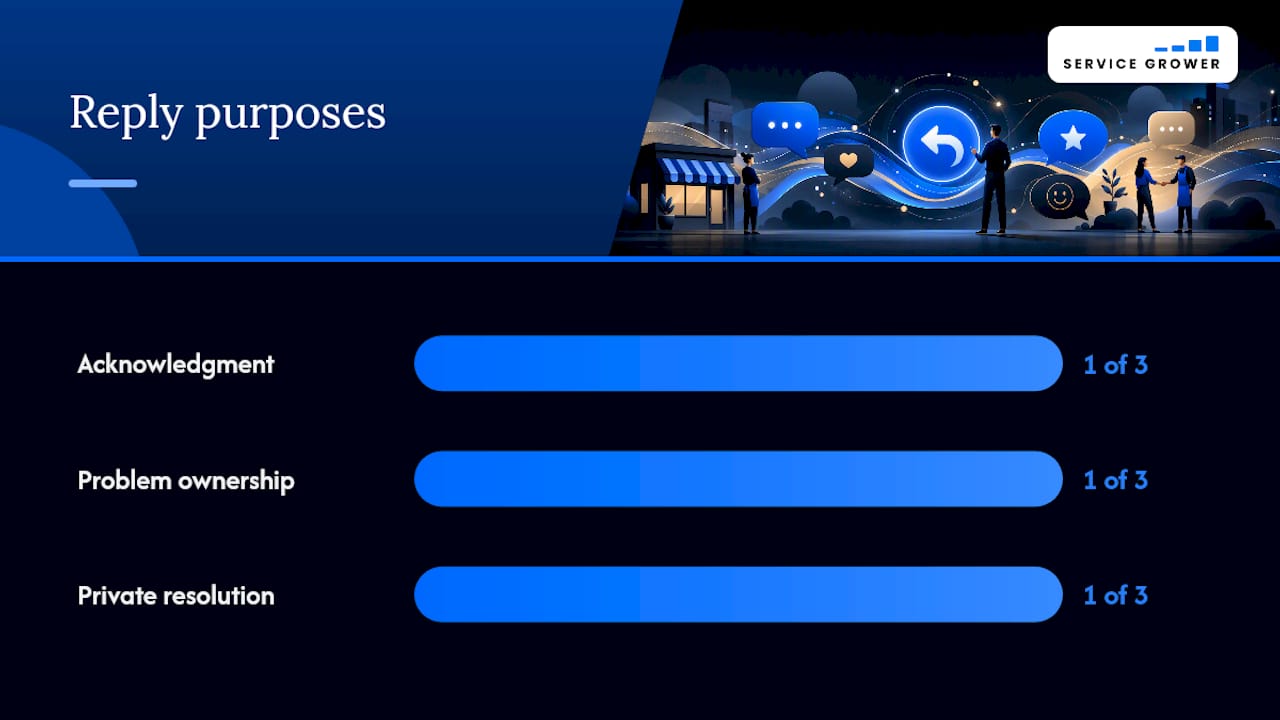
Every reply serves one of three purposes: acknowledgment, problem ownership, or an invitation to resolve things privately. Get those three right and you rarely need anything more complicated.
- Positive review reply: “Thank you so much, [name]. We’re glad [specific detail from their review] worked out. Hope to see you again soon.” Naming a specific detail shows you actually read it rather than pasting a stock line.
- Neutral or mixed review reply: “Thanks for the honest feedback. We’d love to hear more about [issue mentioned] so we can improve. Feel free to reach out at [contact].” This opens a door without being defensive.
- Negative review reply: “We’re sorry your experience didn’t match what we aim for. We’d like to make this right. Please contact us directly at [phone/email] so we can resolve this.” Short, no excuses, and it moves the conversation off the public thread.
The psychology behind this matters more than the wording. A calm, professional public response to a complaint does more than defuse one angry customer. Public, empathetic responses to negative reviews demonstrate responsibility to every future customer reading that thread, turning a complaint into evidence that you handle problems well.
A near real-time reply is what most people expect on social platforms today. A slow response doesn’t just look bad. It can turn a minor complaint into a public escalation before you’ve even seen the notification.
Know when to escalate beyond a template reply: if a reviewer alleges something legally sensitive, if the same complaint repeats across multiple reviews, or if a customer won’t calm down in private messages, loop in a manager or, for recurring patterns, consider paid reputation support. Log every negative review internally, even after resolving it, so you can spot patterns your day-to-day self might miss.
For more response tone and phrasing, this guide on handling negative comments walks through public tone calibration in more detail.
Pro Tip: *Track your response time, not just your response rate.
What Do You Do When a Reputation Crisis Hits?
A crisis is different from a bad review. It’s a viral complaint, a public dispute caught on video, or a pattern of complaints hitting all at once. Speed and clarity matter more than perfection here.
Hours 0 to 48:
- Assess the reach: is this one review or a spreading post?
- Pause any scheduled marketing or automated messaging that might look tone-deaf next to the issue.
- Brief key staff so nobody contradicts you publicly.
- Assign one person as the single point of contact for all communication.
Hours 48 to 96:
- Post a brief public acknowledgment: “We’re aware of [issue] and are looking into it directly. We’ll share an update soon.”
- Investigate internally: what happened, who was involved, what needs to change.
- Communicate the fix once you have one, specifically and without corporate hedging.
Before escalating further, run through this checklist:
- Does this involve a legal claim or safety issue? Loop in counsel.
- Is press or media attention likely? Consider a PR contact.
- Does a specific post violate platform policy? File a takedown request.
Pro Tip: Never delete a negative comment unless it violates platform rules. Deleting legitimate criticism almost always gets screenshotted and reposted with “look what they did” attached.
Which Metrics Actually Show Your Reputation Is Improving?
Five numbers tell you almost everything you need to know. Track them monthly and you’ll catch problems before they become crises.
| Metric | What good looks like |
|---|---|
| Average star rating | 4.3 or higher across your primary platforms |
| Review velocity | Steady new reviews arriving each month, not just in bursts |
| Sentiment trend | More positive than negative language in recent reviews |
| Response rate | Nearly all reviews answered |
| Response time | Under 24 hours, ideally same-day |
Build your monthly report around these five lines. Anything more complicated and you’ll stop looking at it after month two.
- Pull the numbers on the same day each month so trends are comparable.
- Share the snapshot with anyone on staff who interacts with customers, not just yourself.
- Flag any month where the rating drops or velocity stalls and dig into why before it compounds.
Should You DIY Reputation Management or Use a Platform?
The decision comes down to five factors: how many reviews you’re generating monthly, how many locations you run, how much time you personally have each week, whether you need automated reporting, and your budget.
A single-location business with a handful of monthly reviews can often run the manual routine above with a spreadsheet and 2 to 3 hours a week. Once you’re managing multiple locations, juggling review requests across channels, or trying to build monthly reports by hand, the manual approach starts eating hours you don’t have. A local service business we’ve seen move from manual tracking to an integrated platform cut its weekly reputation workload from roughly five hours to under one, while its review volume and average rating both climbed within a few months.
When comparing platforms, look past the marketing and check three things: does it aggregate reviews from every site you actually use, does it support automated request workflows, and does it produce a report you can hand to a manager without editing it first.
Pro Tip: Compare platforms by required integrations, not by feature count. A tool with 40 features you’ll never touch is worse than one with 8 you’ll use every week.
Pricing also splits along predictable lines: multi-location enterprise platforms often charge per location, which adds up fast if you’re not actually running dozens of sites. A single-location or small multi-location owner is usually better served by a flatter, simpler pricing structure built for their scale.
What We’ve Learned Working With Local Businesses
The owners who see real improvement all share one habit: they treat the weekly reputation check like a recurring calendar event, not a task they get to “when things slow down.” Things never slow down.
We’ve watched businesses go from an inconsistent 3.6 average to a steady 4.3 in about four months, purely from asking every satisfied customer for a review and answering every complaint within a day. No secret tactic, no paid boost. Just consistency applied for long enough to compound.

If you take one thing from this: block 20 minutes on your calendar, same day every week, and don’t skip it for two months straight. That alone outperforms most one-off “reputation fixes” owners try.
How Service Grower Simplifies Reputation Management
Running the weekly playbook by hand works, right up until you’re juggling five review sites, a spreadsheet of customer contacts, and a report you’re building from memory the night before a meeting. Service Grower is the alternative to stitching that together yourself: one dashboard that pulls in your reviews, automates the request sequence after every job or sale, and hands you a response workflow instead of a blank text box and a deadline.

The platform bundles review aggregation, automated review requests, response workflows, and a reporting dashboard into one system, alongside AnswerReady websites built to help you show up when customers search on Google or ask an AI assistant for a recommendation. For businesses that want to go further, managed Google and Meta ad support is available without adding another login to track.
It’s built for owners running one location or a handful, who want the 2 to 3 hours a week this guide describes cut down to a fraction of that. If your weekly review check keeps sliding to “next week,” book a 15-minute call and see whether an integrated setup fits how you actually run your business.
Sources
- Online reputation management guide for small businesses | Xero US
- 9 Reputation.com alternatives I’d test before signing