
 GROWTH GUIDE
Fix Local Attribution in 30 Days: GCLIDs, Hashed Data, Call Tracking
Attribution ties specific marketing touchpoints to the booked revenue or store visits your local business actually receives. Get the definition right, then wire up capture before anything else: click IDs and first-party customer data need to land in your CRM automatically.
TL;DR:
- Use last-click or position-based attribution models for stable, daily decision-making, and compare them monthly to identify significant differences in channel credit.
- Capture click IDs with hidden form fields, persist them through the funnel with cookies or local storage, and upload closed-won data via API or CSV to match offline conversions.
- Foot-traffic attribution is reliable mainly for rural or standalone locations; for multi-tenant buildings, footprint polygons significantly improve accuracy, especially at higher visit volumes.
- Setting up a tracking pipeline within 30 days involves establishing click ID capture, conversion upload processes, campaign mapping, and reconciliation to ensure within 10% accuracy.
- Low- to mid-tech attribution setups suffice for most local businesses, with advanced methods reserved for multi-location brands with engineering support or high offline deal volume.
Table of Contents
- What Is Attribution for Local Business, and Why Does It Matter?
- Which Attribution Model Fits a Local Service Business?
- How Do You Track Offline Conversions Back to Your Ads?
- Is Foot-Traffic Attribution Accurate Enough to Trust?
- Your Setup Checklist for This Month
- How Do You Choose (and Scale) Your First Approach?
- Attribution Works Best Inside an Integrated Visibility Stack
- Turn Better Visibility Into Trackable Bookings
- Sources
What Is Attribution for Local Business, and Why Does It Matter?
Ecommerce attribution tracks a straight line: click, cart, purchase, all inside one platform. Local business attribution has to cross a bigger gap. A customer might see a Facebook ad on Tuesday, ask a neighbor about you on Wednesday, call your shop Thursday, and pay at the counter three weeks later. None of that shows up in Google Ads or Meta Ads by default, because the transaction happens offline, in a CRM, a point-of-sale system, or a booking calendar.
That’s why local business attribution methods have to connect ad platforms to the systems where money actually changes hands. Without that link, you’re optimizing toward click volume, which is a weak proxy for booked jobs.
A few journey patterns break click-only measurement completely:
- A homeowner googles your business by name after seeing a truck wrap, then books by phone.
- A patient clicks a Facebook ad, browses your site, then walks in without ever converting online.
- A customer gets a referral, searches your name to confirm you’re legitimate, and calls.
First-party customer data and transaction matching are what make any of these visible. That’s the foundation everything else in this guide builds on.
Which Attribution Model Fits a Local Service Business?
Attribution models for small business fall into four common types, and each one tells a different story about the same customer journey.
- First-click credits the very first touchpoint, whatever brought the customer into your orbit originally. Useful for understanding which channels drive initial discovery.
- Last-click credits whatever touchpoint happened right before conversion. Simple to set up, and it’s the default in most ad platforms, but it ignores everything that happened earlier in the journey.
- Linear splits credit evenly across every touchpoint in the path. Better for seeing the full picture, worse for making a single clear decision.
- Position-based (U-shaped) weights the first and last touch heavily, with smaller credit for everything in between. This tends to match how local journeys actually work: a discovery moment and a closing moment matter most.
For discovery analysis, first-click tells you which channel is putting your business on the map. For closing analysis, last-click or position-based tells you what’s actually pushing people to call or book. Most local businesses don’t need all four running simultaneously.
The practical move: run one model operationally, day to day, because you need a stable number to make budget decisions against. Last-click or position-based both work fine for this. Then compare against a second model once a month to see where the story diverges. If first-click and last-click disagree wildly on which channel deserves credit, that’s worth investigating, not ignoring.
Pro Tip: Don’t try to build a multi-touch model in a spreadsheet before you’ve even got GCLIDs flowing into your CRM. Get the deterministic tracking working first. The model you choose matters far less than whether the underlying data is actually there.
How Do You Track Offline Conversions Back to Your Ads?
This is where attribution for local business actually gets built, and it’s more mechanical than most owners expect. Four pieces need to work together.
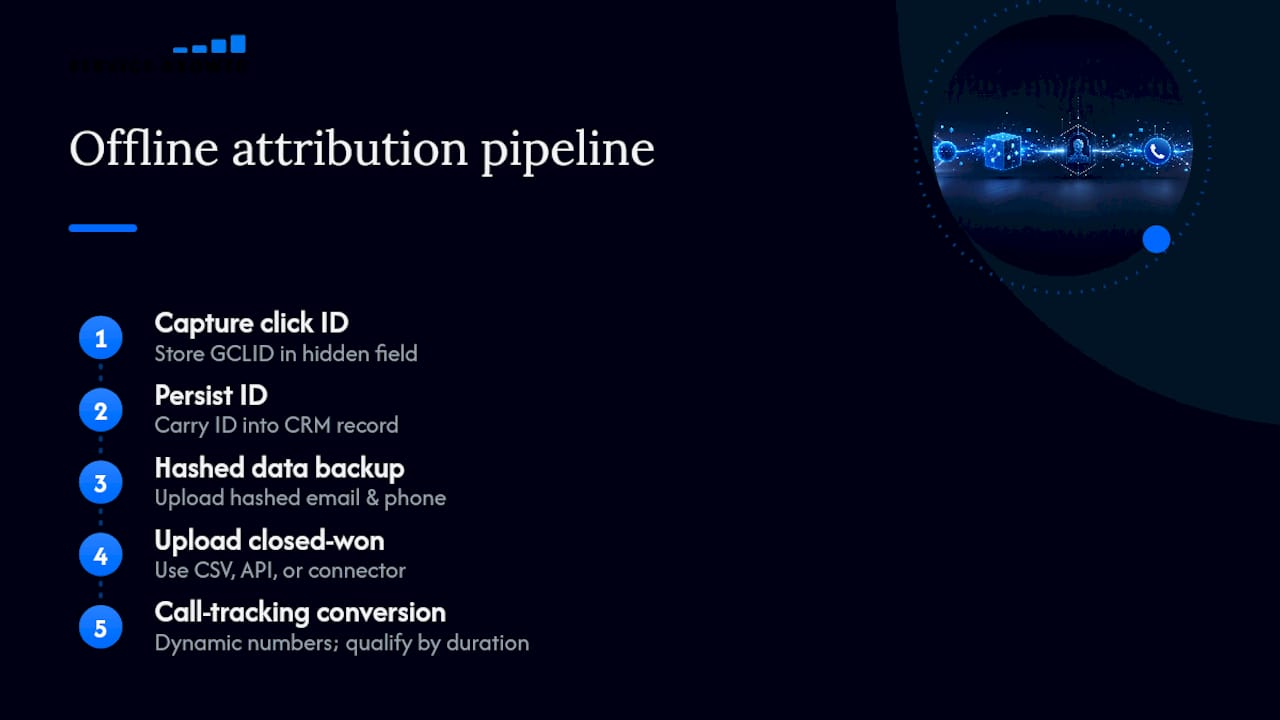
Capture the click ID. When someone clicks a Google ad, the URL carries a GCLID (Meta uses fbclid, TikTok uses ttclid). Google recommends capturing and storing the GCLID on your landing page, usually via a hidden form field or a cookie, so it survives from click to lead form submission.
Persist it through the funnel. That click ID needs to ride along with the lead record into your CRM, not disappear after the page closes. A hidden field on your contact form, paired with a short-lived cookie or localStorage value, is enough for most small businesses.
Send hashed data as a backup. Enhanced Conversions for Leads sends hashed email and phone data alongside the GCLID, so if the click ID expires or gets lost somewhere in the funnel, Google can still match the conversion using first-party identifiers.
Upload the closed-won record. When a lead becomes a paying customer, that outcome needs to go back to the ad platform. You’ve got three paths: manual CSV upload for low volume, the Offline Conversions API for automated pushes, or a connector tool that sits in between.
Call tracking adds a fifth piece for phone-heavy businesses: dynamic numbers that stamp each call with the original click ID, so a qualified call (past some minimum duration, say 60 seconds) can be uploaded as a conversion rather than every hang-up and wrong number.
A correctly wired pipeline, according to practitioners tracking offline conversions, reconciles against CRM closed-won records within roughly 10%. That’s your target, not a stretch goal.
Is Foot-Traffic Attribution Accurate Enough to Trust?
Store-visit attribution promises something appealing: proof that a Facebook ad or a display campaign actually drove someone through your front door. The mechanics involve matching anonymized GPS pings against place data, and the accuracy of that match depends entirely on how the geometry is built.
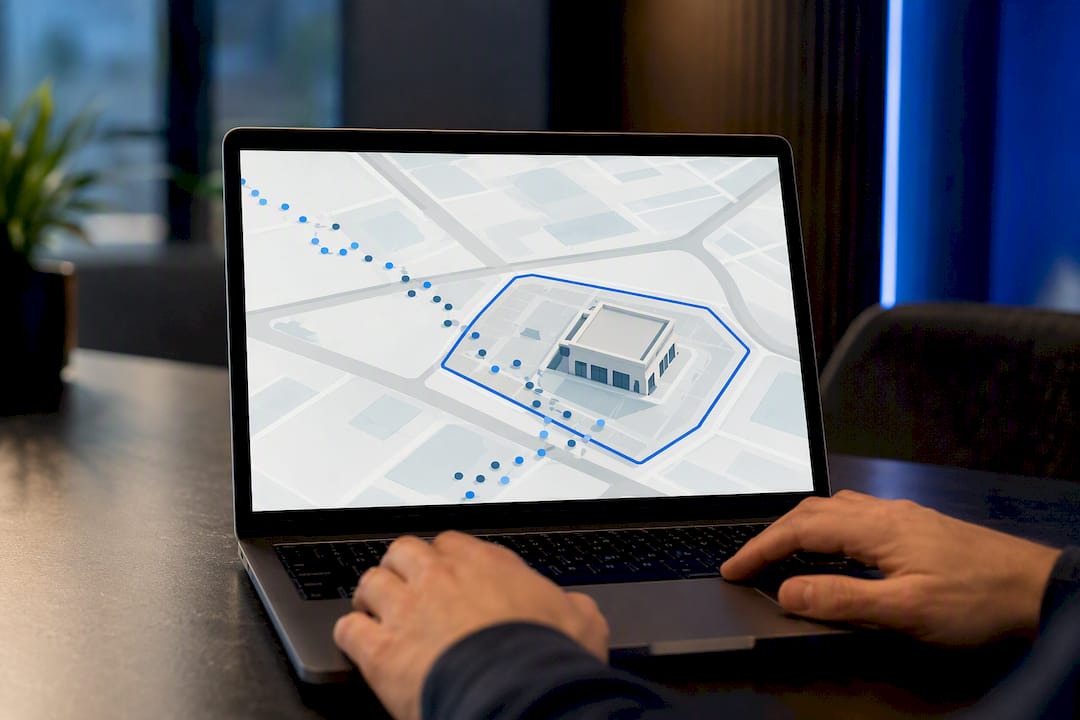
The cheap version uses a centroid radius, a circle drawn around a business’s approximate address. The better version uses building footprint polygons, the actual outline of the structure, cross-referenced against a spatial hierarchy that knows your nail salon is on the second floor of a strip mall, not in the parking lot or the sandwich shop next door.
That distinction matters most in dense retail environments. A standalone auto shop on a two-acre lot is easy to attribute correctly with a centroid radius. A boutique fitness studio sharing a building with four other tenants is a different problem entirely, and GPS cleaning plus clustering becomes the difference between a real signal and noise.
- Rural or standalone locations: centroid radius is usually fine.
- Strip malls, downtown storefronts, multi-tenant buildings: footprint polygons matter a lot more.
- Businesses under roughly 50 visits a month rarely have enough volume for the numbers to mean anything statistically.
Pro Tip: If your business gets fewer than a few hundred monthly visits, skip foot-traffic attribution for now. The data noise will swamp the signal, and you’ll spend money interpreting static. Revisit it once volume grows.
Your Setup Checklist for This Month
Local marketing attribution strategies fail most often not from bad models but from skipped setup steps. Here’s the order that actually works.
Week 1, technical foundation:
- Add hidden fields to every lead form to capture GCLID, fbclid, and any other click IDs your ad platforms use.
- Set up a cookie or localStorage script so click IDs persist across page visits before form submission.
- Configure Enhanced Conversions for Leads in Google Ads as a backup matching path.
- Set up dynamic call tracking numbers if phone leads matter to your business.
Week 2, operational mapping: 5. Standardize campaign naming so every ad set maps cleanly to a CRM source field. 6. Build the CRM field mapping so click ID, lead source, and close date all land in fields your team can query. 7. Define call qualification rules (minimum duration, specific outcomes) before any call triggers a conversion upload. 8. Set POS or booking-system triggers so a closed sale automatically flags a customer record as “won.”
Week 3, integration choice: 9. Pick your upload path: CSV works fine under roughly 50 conversions a week; API access makes sense above that; a middleware connector is worth it if you lack in-house engineering time.
Week 4, verification: 10. Reconcile CRM closed-won totals against what shows up as imported conversions in your ad platform. A gap within 10% over a 30-day window means your setup is working. A bigger gap means something in steps one through nine needs fixing, usually a missing hidden field or a call qualification rule set too loosely. 11. Check match-quality metrics inside your ad platform to confirm hashed data uploads are actually matching, not just uploading.
Thirty days is a realistic timeline to know if the pipeline holds. Don’t judge it at day three. For businesses running paid search alongside this setup, the technical groundwork in Google Ads for local business pairs directly with this checklist.
How Do You Choose (and Scale) Your First Approach?
How to attribute local sales correctly from day one depends on four things: how much lead volume you get monthly, how many ad platforms you’re running, whether you have any engineering support, and how often deals close offline versus online.
Three starter recipes cover most local businesses:
- Low-tech: Last-click model plus manual CSV uploads of closed-won records once a week. No engineering required, works for businesses under 50 leads a month.
- Mid-tech: GCLID capture plus Enhanced Conversions for Leads, automated through a form tool or tag manager. This is the sweet spot for most established local businesses.
- Advanced: Offline Conversions API plus foot-traffic attribution, for multi-location businesses with real engineering resources or a managed platform handling the pipeline.
Hire an engineer, or move to a managed platform, once manual CSV uploads start taking more than an hour a week or once you’re running more than two ad platforms simultaneously. During rollout, watch match rate, reconciliation gap, and cost per booked appointment, in that order.
Pro Tip: Resist jumping straight to the advanced recipe because it sounds more sophisticated. A mid-tech setup that actually gets maintained beats an advanced setup nobody has time to keep running.
Attribution Works Best Inside an Integrated Visibility Stack
Attribution tools solve a measurement problem, but measurement only matters if the underlying capture points, your website, forms, and booking flow, are built to feed clean data in the first place. That’s the piece Service Grower focuses on: AnswerReady™ websites built with structured lead forms, review management, and booking workflows designed to capture and persist customer data rather than lose it between systems.
An integrated approach reduces the leakage that breaks attribution in the first place. When your site, your review requests, and your booking forms all live in one connected system rather than three disconnected vendors, match rates improve simply because fewer handoffs mean fewer dropped click IDs. That’s not a replacement for the technical wiring covered above. It’s what makes that wiring reliable.
— Service Grower
Turn Better Visibility Into Trackable Bookings
Attribution only works if the traffic feeding it is worth measuring in the first place. Service Grower gives local businesses the alternative to piecing together separate tools for visibility, lead capture, reviews, and booking. Instead of stitching together a website vendor, a review tool, and a booking widget that each lose data at the seams, you get one connected system built to keep customer records intact from first click to closed sale.

That matters directly for everything in this guide: a lead form built inside AnswerReady™ captures hidden-field click IDs cleanly, and a booking flow tied to the same platform makes closed-won tracking straightforward instead of a manual export job. Clients using the platform report meaningful increases in booked appointments and reviews once visibility and capture live in one place instead of three. Pair that with proven conversion tactics like the ones covered in conversion rate optimization, and the whole funnel gets easier to measure, not just easier to fill.
Run a Free AI Visibility Check to see where your current setup is leaking visibility, or book a 15-minute call to walk through your specific tracking gaps.
Sources
- Upload offline conversions and enhanced conversions for leads (Google Ads API docs)
- Visit attribution guide (SafeGraph)
- Offline conversion tracking (SignalBridge)